Up to 9 videos.
All at once.
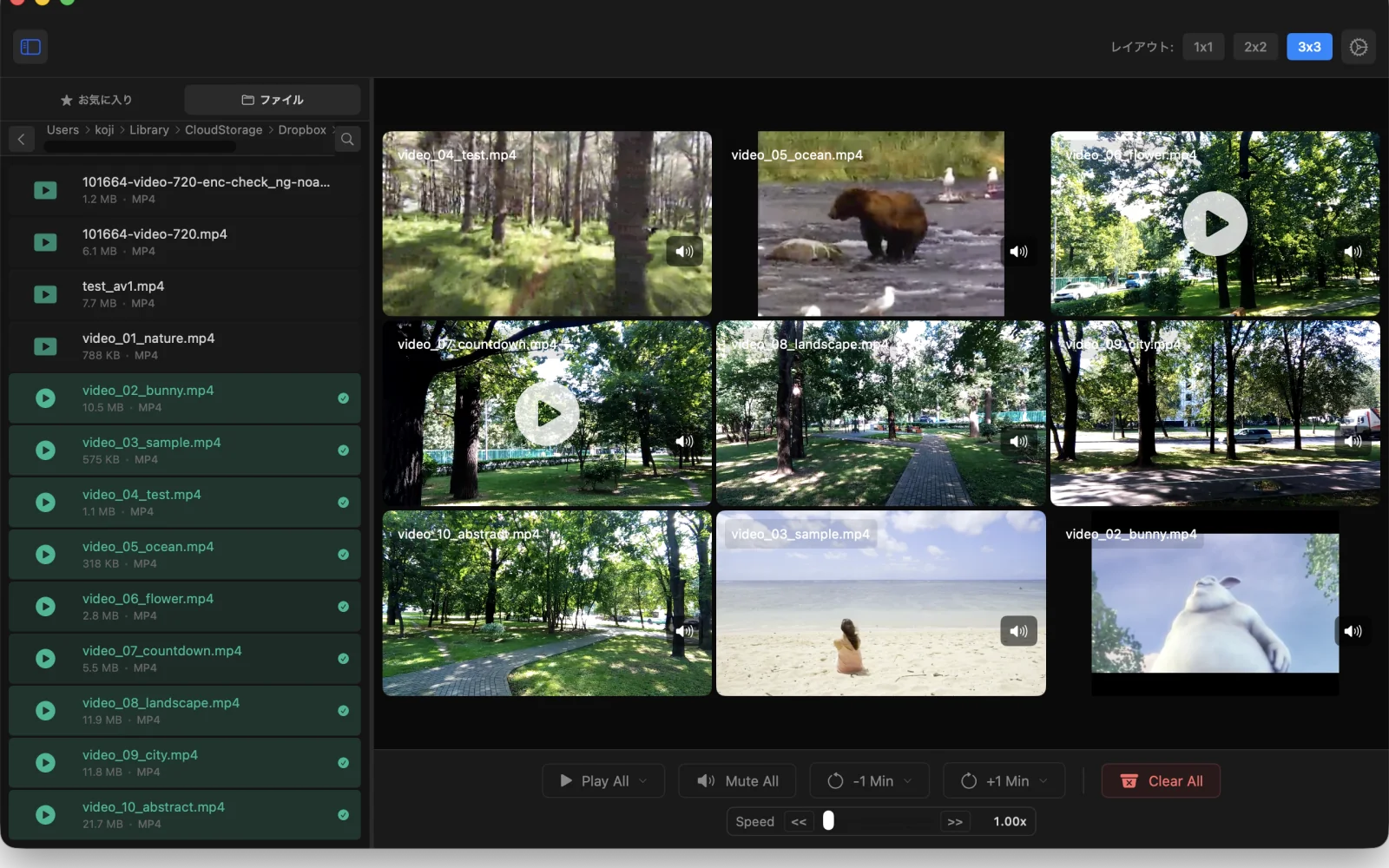
Video Grid Player is a macOS-only app that plays local video files simultaneously in a grid of up to 3x3. Line up several clips and compare them side by side without juggling separate windows.
* Requires macOS 14 Sonoma or later on Apple Silicon (M1 or later). Intel Macs are not supported.
Features
- Play up to 9 videos at once in grids from 1x1 to 3x3
- Smart Playback (Pro): skips the silent opening and the part before a face appears
- Up to 12 layouts with Pro (3 on Free)
- Sync Start: kick off every clip from 0 seconds at the same moment
- Playback speed adjustable from 1.0x to 5.0x
- Drag and drop to load videos
More features
- Keyboard shortcuts for fast operation
- Control playback, speed, and layout from the menu bar, even when the main window is closed
- Open videos with a URL from Terminal or Shortcuts (how to)
Supported formats
If a video plays in macOS's built-in QuickTime Player, it plays in this app. We use macOS's AVFoundation under the hood, so there are no extra codec packs to install.
What plays reliably: .mp4 and .mov files containing H.264 or HEVC video
(the formats produced by iPhones, cameras, and most editing apps).
What may not play: VP8 and VP9 codecs (often found in videos downloaded from YouTube and similar sites) are not supported.
AV1 plays only on Macs with AV1 hardware decoding (M3 or later).
Note that even files with a .mp4 extension may not play if their internal video codec is VP8 or VP9.
Some .mkv and .webm files are unsupported at the container level.
Open the file in QuickTime Player first to confirm it plays.
Recognized extensions:
- mp4
- m4v
- mov
- mkv
- webm
- mpg
- mpeg
- m2ts
- mts
- ts
- 3gp
- 3g2
- dv
Free and Pro
The core features are free. Pro adds Smart Playback and more layouts.
Free
No cost
No subscription needed
Pro
Monthly or yearly
Try it free for 7 days
Free includes the 1x1, 2x2, and 3x3 layouts. Pro adds 9 more, including 2x1, 3x1, 3x2, and layouts that combine large views with smaller ones.
Smart Playback's "Start when sound begins" skips silence at the start of a video. "Start when a face appears" plays from where a face first appears. Videos are analyzed on your Mac and never leave it. If there's nothing to skip, the video plays from the beginning.
You won't be charged when the 7-day trial ends. Purchases are handled by the App Store. Cancel anytime in your App Store subscription settings. The price for your region is shown in the App Store and in the app.