
S3, R2, and Dropbox, all in one app.
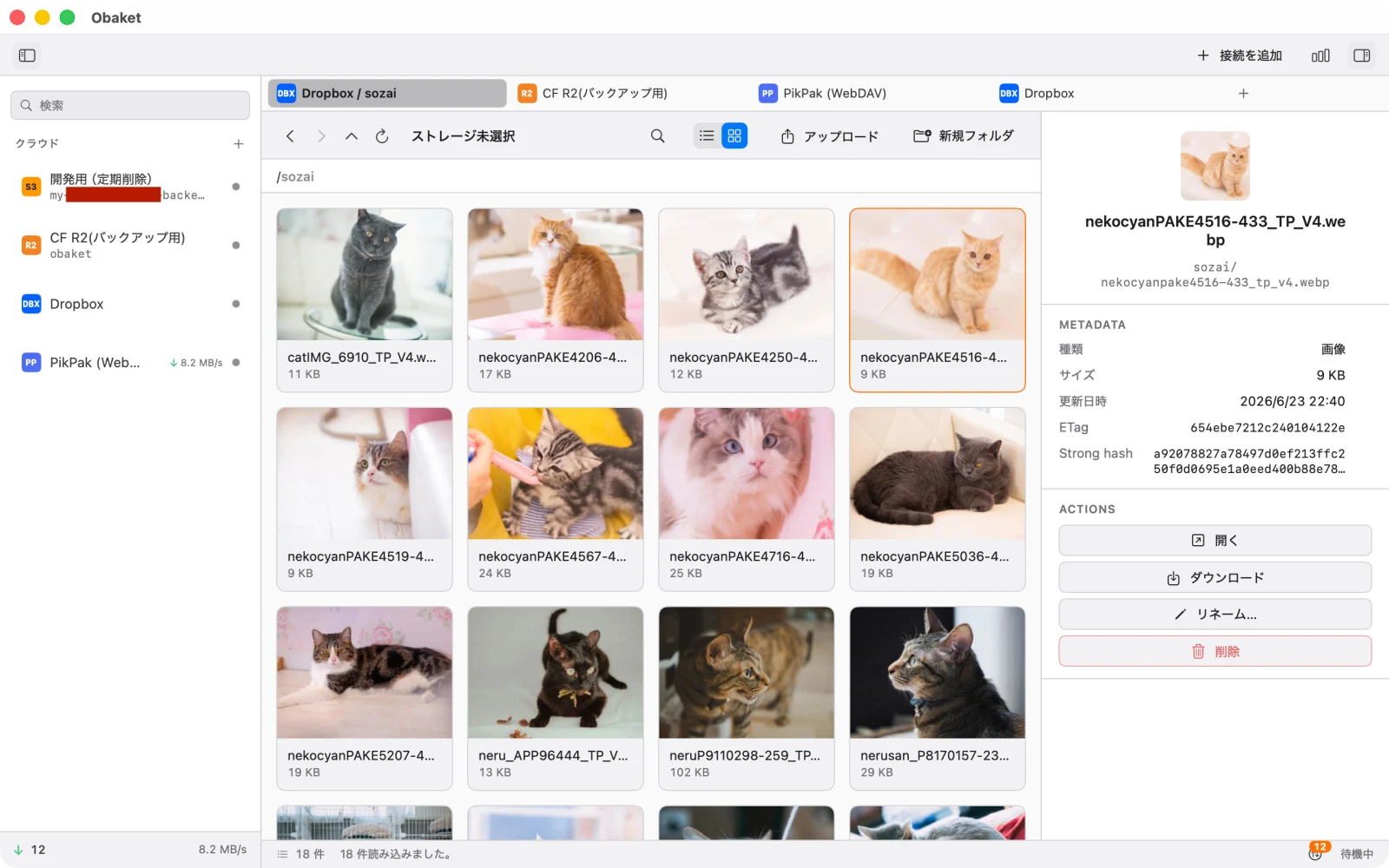
No separate client to install for every service, and nothing syncing in the background to fill up your disk. Obaket is a macOS app where you can preview files just like in Finder and upload to any cloud with the same actions.
* Requires macOS 15 or later. Supported services will keep expanding over time.
Features
Browsing and uploading — the two things you do most with cloud storage — unified into a single UI across every service. No per-service client, no management console, no CLI to bounce between.
- No separate client app per service Unlike official desktop clients, Obaket doesn't sync everything, so connecting a large bucket won't eat into your free disk space. It fetches only the files you actually open.
- Preview on the spot, without downloading View images, videos, and text instantly, Quick Look style. Videos are fetched progressively over HTTP Range, so playback starts without waiting for a full download.
- Upload to any cloud with the same actions Just drag & drop. Progress and failures are visualized consistently across services. Large files are split and transferred via multipart upload.
- Copy files across services Copy straight from S3 to Dropbox — crossing services is the same operation as any other copy. No downloading and re-uploading by hand: pick a destination and Obaket transfers it for you, with progress.
- Download whole folders at once Supports multi-selection and recursive directory downloads. Pull files out the same way on every service.
- Check what’s in the cloud with a single hotkey “Did I ever upload that file?” — answer it with ⌥⌘Space. Bring up the search panel from any app, type a name, and see right away whether it exists in your cloud storage. Found it? Go straight to preview or download (available for Dropbox).
- Keep work and personal separate with profiles Connections, credentials, transfer history, and tab state are kept independent per profile. Switching profiles never mixes their data.
- Credentials are kept safely in the Keychain Access keys and secret keys are protected by the macOS Keychain, with Touch ID support too.
- It even cleans up after your transfers Even if a multipart upload fails partway through, Obaket automatically cleans up the leftover fragments (orphan parts) that would otherwise keep silently incurring charges.
Supported storage services
Obaket supports the storage services below (items marked "Planned" are coming soon). Supported services will keep expanding over time.
- Amazon S3 Supported
- Cloudflare R2 Supported
- Dropbox Supported
- PikPak Supported
- S3-compatible Supported
- SMB Supported
- Internet Archive Supported
Pricing
Price
Free
No subscriptions
All features are available for free.
Support
For questions, bug reports, or feature requests, please contact us at the email address below.
Email support
If you use GitHub, you can also reach us via the feedback repository.